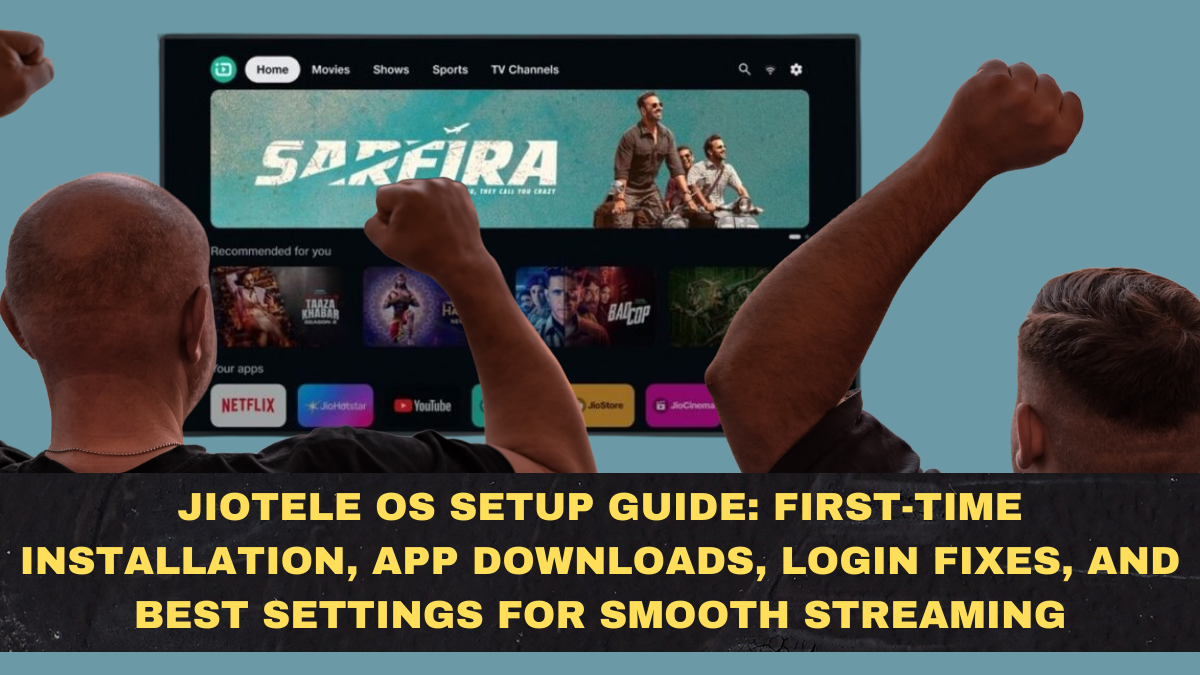
JioTele OS has quietly become one of the most important developments in India’s budget smart TV market in 2026. With brands like Thomson and others shipping televisions that run JioTele OS instead of Android TV, millions of buyers are now encountering a completely new TV operating system for the first time. For many of them, the experience is confusing at first because the interface looks different, the app store is unfamiliar, and common Android TV habits no longer apply.
The good news is that JioTele OS is actually simpler and lighter than Android TV once it is set up properly. The bad news is that if you rush through the initial configuration, skip key permissions, or ignore a few critical settings, you can easily end up with login failures, missing apps, buffering issues, or a TV that feels slower than it should. This guide walks you through the correct first-time setup flow, app installation method, common login fixes, and the best settings you should change immediately to get smooth streaming performance in real Indian home conditions.

What Exactly Is JioTele OS and Why It Exists
JioTele OS is a lightweight smart TV operating system developed for the Indian market with a very specific goal: to run smoothly on low-cost hardware while still supporting the OTT apps that most Indian families actually use. Unlike Android TV, which is heavy, memory-hungry, and designed for much more powerful processors, JioTele OS is optimized for entry-level chipsets and limited RAM.
That design philosophy is why JioTele OS TVs often feel faster and more stable than cheap Android TVs, even though their hardware specifications are similar or worse on paper. The trade-off is that you do not get Play Store freedom or the ability to install random APKs easily. Instead, you get a curated app ecosystem focused on stability, speed, and mainstream OTT usage.
First-Time Setup: The Correct Way to Do It
When you power on a JioTele OS TV for the first time, it will guide you through a basic setup wizard. Do not rush this part.
You will be asked to select your language, connect to Wi-Fi, accept terms, and optionally sign in using a Jio account. It is strongly recommended to complete the Jio account login during setup itself because some app downloads and personalization features behave unpredictably if you skip this step and try to log in later.
Make sure your Wi-Fi connection is stable and reasonably fast during this phase. Many first-time errors happen simply because the TV loses connectivity while syncing system services in the background.
Once the home screen loads fully, give the TV a few minutes to finish background updates before opening any apps. This one habit prevents a lot of early freezing and lag complaints.
How App Installation Works on JioTele OS
Unlike Android TV, JioTele OS does not use Google Play Store. It uses the Jio Store as its official app marketplace.
To install apps, open the Jio Store from the home screen, browse or search for the app you want, and select install. The store includes all major Indian OTT platforms such as Netflix, YouTube, Prime Video, JioCinema, Zee5, SonyLIV, and Disney+ Hotstar.
Most users never need anything beyond these apps. If an app you want is not listed in Jio Store, it usually means Jio has not certified it for performance or stability on this OS yet.
Avoid trying to sideload APKs using USB drives unless you fully understand what you are doing. Sideloaded apps often crash, fail to update, or break DRM-based streaming playback.
Logging Into OTT Apps: Common Problems and Fixes
Many first-time users report login issues on Netflix, Prime Video, or Hotstar. These problems are usually not bugs. They are setup mistakes.
The most common causes include incomplete system updates, incorrect date and time settings, and unstable internet connections during login.
Before troubleshooting anything else, restart the TV once after initial setup and allow it to reconnect to Wi-Fi cleanly. Then check the system date and time settings and make sure they are set to automatic network time.
If an app refuses to log in or keeps throwing errors, go into settings, clear the app cache, restart the TV, and try again. In most cases, this fixes the issue immediately.
Best Picture Settings for JioTele OS TVs
Out of the box, most JioTele OS TVs are set to overly bright and oversaturated picture modes designed to look impressive in showrooms.
For normal home viewing, switch the picture mode to Standard or Movie. Reduce sharpness slightly, lower contrast a bit, and turn off any artificial motion smoothing or dynamic contrast features.
These changes dramatically improve natural color reproduction and reduce eye strain, especially for long OTT sessions.
Best Audio Settings for Clear Dialogue
Budget TVs often ship with exaggerated bass and muffled dialogue tuning.
Go into audio settings and switch to Standard or Clear Voice mode. Turn off surround simulation features. If available, slightly boost treble and reduce bass.
This makes speech much clearer and avoids distortion at higher volumes.
Network and Streaming Stability Settings
For smooth streaming on JioTele OS, always prefer a 5 GHz Wi-Fi network if your router supports it. It is more stable and less congested than 2.4 GHz in most apartments.
Turn off background app refresh if that option exists. This prevents hidden downloads from consuming bandwidth during streaming.
Restart the TV once every week. It clears memory leaks and keeps performance consistent.
Remote and Voice Control Setup
Most JioTele OS TVs ship with a Bluetooth remote that supports voice commands.
Pair the remote properly during setup. If voice search fails later, go into Bluetooth settings and re-pair the remote. Voice control depends heavily on correct Bluetooth pairing.
Common JioTele OS Problems and Simple Fixes
If apps are slow to open, restart the TV and check available storage. Delete unused apps if storage is nearly full.
If the home screen lags, disable live wallpaper or background animations.
If the TV disconnects from Wi-Fi frequently, forget the network and reconnect from scratch.
Who JioTele OS Is Actually Best For
JioTele OS is ideal for buyers who want a fast, simple OTT experience without dealing with Android TV complexity. It is perfect for parents, kids, casual streamers, and anyone who just wants Netflix and YouTube to work reliably.
It is not ideal for power users who want Kodi, sideloading, VPN apps, or experimental software.
Conclusion: A Lightweight OS That Rewards Proper Setup
JioTele OS is not a downgrade from Android TV. It is a different philosophy. It sacrifices ecosystem freedom to gain speed, stability, and predictability on low-cost hardware. When set up correctly, it delivers a smoother and more frustration-free experience than most budget Android TVs in India.
Most complaints about JioTele OS come from rushed setup, skipped logins, poor network configuration, and ignored system updates. Once those basics are handled properly, the OS quietly does its job without drama.
If your priority in 2026 is simple OTT streaming that works every day without freezing, crashing, or slowing down after updates, JioTele OS is one of the most practical smart TV platforms available under ₹10,000. Treat the setup seriously, lock in the right settings, and it will reward you with exactly what most people actually want from a smart TV: reliability.